Last Updated:
Last Updated:
Google Ads for SaaS Startups: The Complete Strategy Guide to Audits, Keywords, CRO, and AI-Powered Scaling
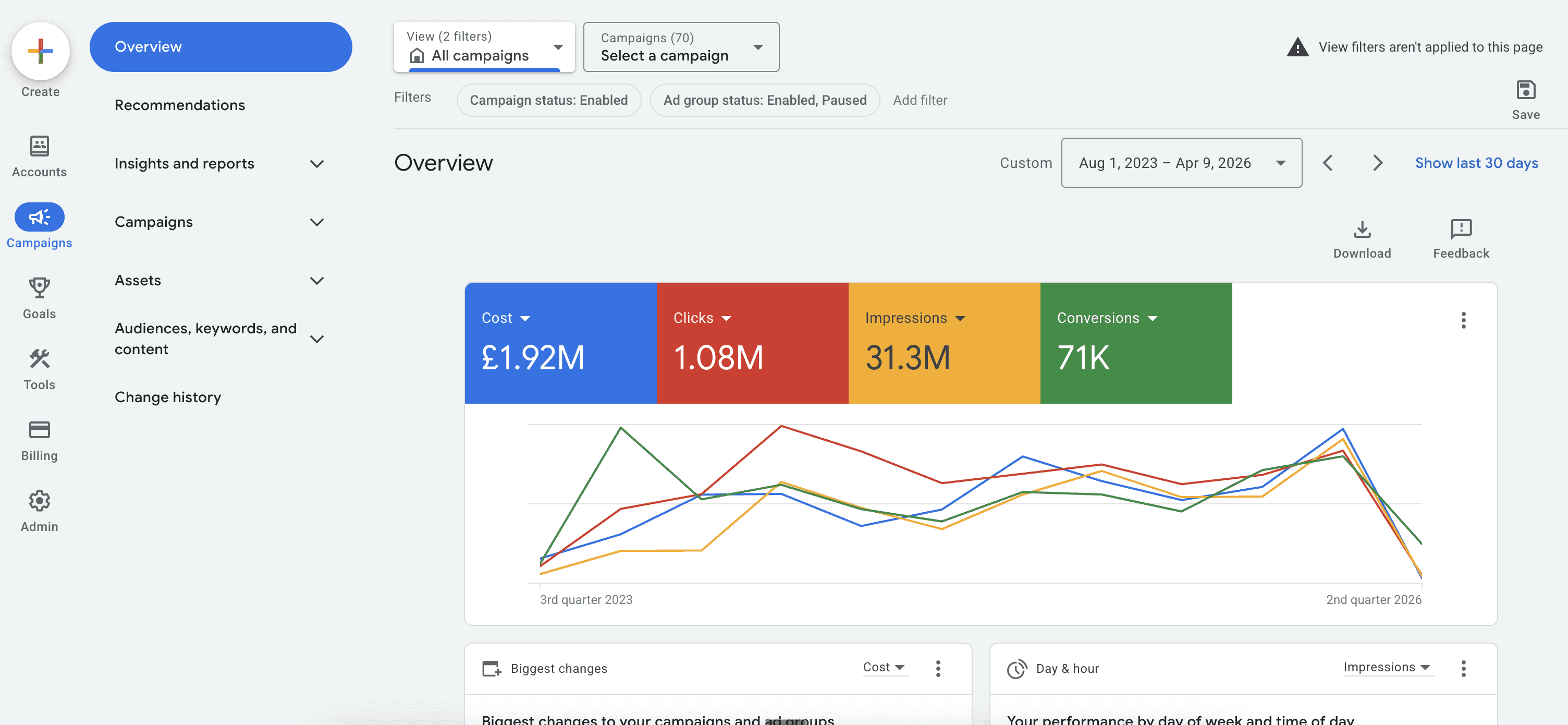
TL;DR: A full-funnel Google Ads playbook for SaaS startups - audits, intent-led keyword research, CRO, Smart Bidding, Performance Max, and multi-channel scaling.
TL;DR: A full-funnel Google Ads playbook for SaaS startups - audits, intent-led keyword research, CRO, Smart Bidding, Performance Max, and multi-channel scaling.
Google Ads for SaaS Startups: The Complete Strategy Guide to Audits, Keywords, CRO, and AI-Powered Scaling
Most SaaS startups approach Google Ads the same way: pick some keywords, write a few ads, set a budget, and wait. Six months later, the budget is gone, the CAC is unworkable, and the conclusion is that "Google Ads doesn't work for SaaS."
That conclusion is wrong. The execution was.
Google Ads remains one of the most powerful customer acquisition channels for SaaS businesses, precisely because it captures intent at the moment it exists. When a founder types "project management software for remote teams" into Google, they have a problem and they are actively looking for a solution. No social platform offers that. The challenge is not whether Google Ads works for SaaS; it is whether your campaigns are built to match the specific dynamics of how SaaS is bought.
The real problem: B2B SaaS keywords cost between £12 and £120+ per click. SaaS purchases involve 6 to 10 decision-makers. Sales cycles stretch 30 to 90 days or longer. Trial-to-paid conversion rates sit between 10% and 25% for most products. These realities make SaaS advertising structurally different from e-commerce or local services, and they demand a fundamentally different campaign architecture.
This guide covers the complete DomiSearch approach to Google Ads for SaaS startups: from the account audit that reveals where budget is leaking, to keyword research built around buying intent, to CRO that converts clicks into trials, to the AI-powered scaling framework that takes campaigns from £5K to £50K+ per month without wasted spend.
What this guide covers:
The SaaS Google Ads audit: what to check and what it costs you to ignore it
Keyword research by intent tier, built for how SaaS buyers actually search
Campaign architecture: the five-tier structure that scales
CRO for SaaS landing pages: turning trial signups into paying customers
AI, Smart Bidding, and Performance Max: how to use Google's automation without losing control
Multi-channel strategy: Demand Gen, YouTube, and Display remarketing for the full funnel
Scaling phases: from early-stage to £50K+ monthly spend
The SaaS Google Ads Audit: Finding Where Your Budget Is Leaking
Before building anything new, you need to understand what is already broken. The majority of SaaS accounts DomiSearch audits share the same structural problems: fragmented keyword lists, missing negative keywords, conversion tracking that measures clicks rather than revenue, and campaign goals that overlap and compete against each other.
A proper audit does not just flag underperformance. It quantifies the cost of each problem in real spend, so you know exactly what fixing it is worth.
The Five Areas Every SaaS Audit Must Cover
1. Conversion tracking integrity This is the single most common failure point in SaaS accounts. Conversion tracking must connect ad clicks to business outcomes, not just form submissions. That means tracking free trial signups with work email addresses, completed onboarding steps, and, where possible, closed deals via CRM integration. Accounts that only track form fills are optimising for the wrong signal entirely.
A useful benchmark: extend your conversion window to 90 days. The default 30-day window misses a significant portion of B2B SaaS deals, especially in mid-market and enterprise segments where buying committees take time to align.
2. Campaign structure and keyword overlap Fragmented accounts are a common audit finding. Spreading 800+ keywords across 150+ ad groups creates campaigns with fewer than five keywords per group, which starves Google's algorithm of the data density it needs to optimise. Equally damaging is keyword overlap between campaigns, where multiple campaigns bid on the same or similar terms and drive up your own costs in the auction.
3. Negative keyword coverage Most SaaS accounts launch with a handful of negative keywords and never revisit them. A thorough audit examines 6 to 12 months of search term data to identify irrelevant queries consuming budget. Common culprits in SaaS accounts include job-seeking terms ("careers," "jobs"), support queries ("login," "help"), and competitor brand terms that are not part of a deliberate conquesting strategy.
4. Quality Score and ad relevance Low Quality Scores inflate CPCs across the board. The audit examines ad group relevance, headline-to-keyword alignment, and landing page experience scores. Improving Quality Scores from 4 to 7 across a campaign can reduce effective CPC by 30% or more without touching the bid.
5. Bidding strategy alignment Smart Bidding strategies require a minimum data threshold to function correctly. Google's own guidance recommends at least 30 to 50 conversions per month before switching to Target CPA or Target ROAS. Accounts that activate automated bidding too early, before enough conversion data exists, often see CPCs spike and conversion volume collapse during the learning phase.
What a structured audit delivers: One documented case study of a B2B service provider showed a 30-day audit and restructure that eliminated £2,200 per month in wasted spend, reduced CPC by 35%, and increased qualified conversions by 50% from the same budget.
Keyword Research for SaaS: Building Around Buying Intent, Not Search Volume
Generic keyword research fails SaaS businesses for a specific reason: it optimises for traffic, not pipeline. A keyword with 10,000 monthly searches and a £2 CPC looks attractive until you realise it attracts researchers, students, and people with no intention of buying software. SaaS keyword research must be built around intent, and intent in SaaS maps to a distinct set of categories.
The Four SaaS Keyword Intent Tiers
Intent Tier | Example Keywords | Typical CPC | Primary Goal |
|---|---|---|---|
Brand | "[Your brand] pricing", "[Your brand] review" | £1–£5 | Protect and convert |
High-intent product | "CRM software for startups", "best invoicing tool for freelancers" | £15–£50 | Drive trials and demos |
Competitor | "[Competitor] alternative", "vs [Competitor]" | £20–£80 | Capture comparison shoppers |
Problem-aware | "how to track project deadlines", "automate sales follow-up" | £5–£25 | Expand top of funnel |
The right starting point for most SaaS startups is brand protection and high-intent product keywords. Competitor and problem-aware campaigns should only be added once the account has enough conversion data to validate bidding decisions, typically after 30 or more conversions in a 30-day period.
SaaS Keyword Strategy by Business Model
Not every SaaS product should approach keyword research the same way. The model matters.
Self-serve / product-led growth (PLG) SaaS: Prioritise high-intent, transactional keywords. Searchers are ready to sign up. Speed of conversion is the metric that matters.
High-touch enterprise SaaS: Focus on problem-aware and solution-aware searches earlier in the funnel. Buyers need education before they will engage. Educational content and demo-request landing pages outperform direct trial CTAs.
Mid-market B2B SaaS: Use both approaches. High-intent keywords drive immediate pipeline; problem-aware campaigns build the top of funnel for longer sales cycles.
Vertical SaaS: Lean into industry-specific terms. "Legal billing software for UK law firms" has a lower CPC than "billing software" and converts at a significantly higher rate because the intent is precise.
How DomiSearch Builds SaaS Keyword Lists
The process starts with Google Keyword Planner, using seed keywords drawn from known converting terms and the client's own search term reports. From there, the list is segmented by intent and cross-referenced with actual search term data to identify queries already generating impressions but not yet captured as exact or phrase match keywords.
Critically, negative keyword development runs in parallel. Every SaaS account needs a structured negative keyword list covering informational queries, job-seeking terms, and irrelevant industry modifiers before the first pound is spent. Revisiting this list weekly in the first 60 days is standard practice; new irrelevant queries surface constantly as campaigns accumulate data.
Key insight: Broad match keywords only perform well in SaaS when the account has strong CRM-connected conversion signals feeding the algorithm. Without that data, broad match is a budget leak. Phrase match and exact match remain the default for new SaaS campaigns.
SaaS Campaign Architecture: The Five-Tier Structure That Scales
The difference between a SaaS account that generates pipeline and one that burns budget often comes down to structure. Most underperforming accounts have campaigns built around products or internal business logic rather than buyer intent and funnel stage. The DomiSearch five-tier architecture organises campaigns around how SaaS is actually bought.
Tier 1: Brand Campaigns
Brand campaigns protect your own name from competitors bidding on it and convert high-intent searchers who already know your product. CPCs are low (typically £1 to £5) and conversion rates are high. Running brand campaigns is non-negotiable; the cost of losing a branded search to a competitor bidding on your name is always greater than the CPC you pay to own it.
Tier 2: High-Intent Product Campaigns
These are the revenue campaigns. They target searchers actively looking for a solution in your category: "project management software for teams," "CRM platform for small business," "expense tracking tool." Use exact match and phrase match. Ad groups should contain 5 to 15 tightly themed keywords, with ad copy written specifically for that cluster's intent. These campaigns should receive the majority of budget in the early stages.
Tier 3: Competitor Campaigns
Competitor campaigns bid on rival brand names when the economics make sense. The searcher is already in buying mode; they have identified a category and are evaluating options. The critical execution requirement: do not send competitor traffic to your homepage. It must go to a dedicated comparison landing page that directly addresses the "why us over them" question. Negative keywords such as "login," "support," and "careers" are essential to filter out existing customers of the competitor.
Tier 4: Problem-Aware Campaigns
Problem-aware campaigns target the problem your software solves before the buyer has identified a solution category. "Reduce project delays," "automate sales follow-ups," "track employee expenses" are examples. These searchers have not decided on a software solution yet. The goal is to reframe their problem in terms your product addresses and introduce them to your brand before competitors do.
Tier 5: Remarketing
SaaS sales cycles are long. Most people who visit your site will not convert on the first visit. Remarketing campaigns cover the gap with a sequenced approach:
Days 1 to 7: Educational content. Problem-framing, product overview, how-it-works.
Days 7 to 30: Social proof. Case studies, customer testimonials, ROI evidence.
Days 30 to 90: Direct response. Demo offers, free trial CTAs, limited-time incentives.
This mirrors how buying committees actually gather and share information over a SaaS evaluation cycle.
Structural principle: Each tier should have its own campaign, its own budget, and its own conversion goals. Mixing brand and non-brand keywords in the same campaign, or combining awareness and conversion objectives, makes it impossible to optimise either effectively.
CRO for SaaS: Converting Clicks into Trials and Trials into Customers
Traffic without conversion is just an expense. For SaaS startups, CRO operates at two distinct stages: converting ad clicks into trial signups, and converting trial users into paying customers. Both require deliberate attention, and most accounts focus on only one.
Landing Page CRO: From Click to Trial
The landing page is where the majority of SaaS ad spend is lost. A well-structured SaaS landing page aligns precisely with the keyword and ad that brought the visitor there. Generic homepages sent to high-intent traffic consistently underperform dedicated landing pages by a significant margin.
Key elements of a high-converting SaaS landing page:
Headline: Matches the search intent directly. If the keyword is "CRM for small business," the headline should reference small businesses and CRM, not your brand tagline.
Value proposition: One sentence. What the product does, for whom, and what outcome it delivers. No jargon.
Social proof above the fold: A recognisable logo bar or a single strong testimonial from a credible customer. Trust signals reduce friction before the visitor has read anything else.
Single CTA: One action per page. "Start free trial" or "Book a demo." Two CTAs create decision paralysis and reduce conversion rates.
Core Web Vitals: Page speed directly affects both Quality Score and conversion rate. A one-second delay in load time reduces conversions by approximately 7%, according to Google's own research on page speed.
Trial-to-Paid CRO: Nurturing the Funnel
For most SaaS products, the trial-to-paid conversion rate sits between 10% and 25%. That means 75% to 90% of people who signed up from your ads never become customers. This is a CRO problem, not a traffic problem.
DomiSearch addresses this through Google Display Network remarketing targeted specifically at trial users:
Ads that surface during the first 2 to 3 days of a trial, offering onboarding help or tutorials
Messaging that shifts as the trial progresses: from "getting started" to "your trial ends soon" to "here is what you will lose access to"
Sequenced messaging that mirrors the user's journey through the product
Accounts that deploy trial-nurturing remarketing typically see trial-to-paid rates improve by 15% to 30%. At scale, that improvement compounds significantly against CAC.
The Micro-Conversion Strategy for Long Sales Cycles
For enterprise SaaS with 90-day-plus sales cycles, optimising directly for closed deals is impractical. The solution is micro-conversions: intermediate actions that predict eventual revenue and give Google's algorithm faster feedback signals.
Useful SaaS micro-conversions include:
Free trial signup with a work (not personal) email address
Completion of the onboarding flow
Invitation of a second team member
Connection of an integration (e.g., CRM, Slack, calendar)
These happen within days of signup, not months. They give Smart Bidding enough signal to optimise while the sales cycle runs its course. Offline conversion imports, where CRM data on closed deals is passed back to Google Ads via Google's offline conversion tracking, complete the loop and allow the algorithm to ultimately optimise for actual revenue.
AI, Smart Bidding, and Performance Max: Using Google's Automation Without Losing Control
Google's AI-powered campaign features, Smart Bidding, Performance Max, and the newer AI Max search type, are genuinely powerful tools for SaaS growth. They are also frequently misused in ways that destroy performance. The distinction is straightforward: these tools amplify good data and compound bad data. The quality of your conversion signals determines whether automation helps or harms you.
Smart Bidding: When to Switch and When to Wait
The most common Smart Bidding mistake in SaaS accounts is activating Target CPA or Target ROAS before the account has enough conversion data. The algorithm needs a minimum of 30 to 50 conversions per month to function reliably. Below that threshold, manual CPC bidding with careful keyword management consistently outperforms automated strategies.
Once the data threshold is reached, the progression should be:
Maximise Conversions (no CPA target): Lets the algorithm learn without a constraint. Run for 2 to 4 weeks.
Target CPA: Set the initial target 20% to 30% above your actual observed CPA to give the algorithm room to operate. Tighten gradually.
Target ROAS: Only appropriate once the account has 50+ conversions per month and CRM-connected revenue data. This is the highest-performance state for a mature SaaS account.
For campaigns with CRM integration and offline conversion imports, broad match keywords fed by downstream revenue signals can outperform exact match. Without that integration, broad match remains too unpredictable for SaaS budgets.
Performance Max for SaaS: A Scaling Layer, Not a Starting Point
Performance Max (PMax) runs ads across Search, YouTube, Display, Discover, and Gmail simultaneously, using Google's AI to find conversions wherever they are most likely to occur. For SaaS startups, PMax is best deployed as a scaling layer once the foundational Search campaigns have established strong conversion data.
Key PMax configuration requirements for SaaS:
Asset group quality: Headlines, descriptions, images, and videos must be high quality. PMax performance is directly tied to the quality of assets provided. Low-quality assets result in poor placements and wasted spend.
Search themes: Use 8 to 12 high-intent search themes per asset group to guide the algorithm during the cold-start phase. This prevents PMax from defaulting to low-quality traffic while it learns.
Brand exclusions: Apply campaign-level brand exclusions to prevent PMax from cannibalising your brand campaigns.
Audience signals: Seed PMax with your best customer data. Customer Match lists built from high-LTV customers outperform broad interest-based signals significantly.
Key insight: Allocate budget strategically across campaign types. A practical framework for mature SaaS accounts: 70% to proven Search campaigns, 20% to PMax and emerging opportunities, and 10% to experimental formats like Demand Gen or YouTube.
Multi-Channel Ad Strategy for SaaS: Beyond Search
Search campaigns capture existing demand. They work when buyers are already searching for a solution. But SaaS growth at scale requires creating demand, not just capturing it. That is where multi-channel strategy becomes essential.
Demand Gen: The LinkedIn Alternative That Now Works for B2B
Google's Demand Gen campaign type runs across YouTube, Gmail, and Discover. Historically it was limited to consumer advertisers because the minimum audience size was too large for niche B2B segments. In January 2026, Google reduced the Demand Gen audience minimum to just 100 users, making it viable for B2B SaaS companies with tightly defined ICPs.
The performance data is compelling: early adopters are seeing 58% lower CPMs compared to LinkedIn and 2.8x higher CTR than standard Display for retargeting. For SaaS companies running LinkedIn ads for brand awareness, Demand Gen is worth testing as a cost-efficient alternative or complement.
YouTube for SaaS: Top-of-Funnel at Scale
YouTube campaigns introduce the problem and position the brand before buyers begin their active search. For SaaS, the most effective YouTube formats are short-form (15 to 30 seconds, non-skippable) targeting custom intent audiences built from competitor keywords and relevant search terms.
The goal at this stage is not conversion. It is brand recall and problem framing. Buyers who have seen a YouTube ad from a SaaS brand before they begin their search are measurably more likely to click that brand's Search ads when they appear. YouTube and Search work as a system, not as independent channels.
Display Remarketing: Covering the Long Sales Cycle
For SaaS with sales cycles exceeding 30 days, Display remarketing is not optional. It is the mechanism that keeps your brand present while the buying committee evaluates options, gathers internal buy-in, and moves through procurement.
Effective SaaS Display remarketing uses audience segmentation to serve different messages to different stages of the funnel:
Audience Segment | Message Type | Goal |
|---|---|---|
Site visitors (no trial) | Product benefits, social proof | Drive trial signup |
Trial users (days 1 to 7) | Onboarding support, quick wins | Activate the trial |
Trial users (days 7 to 14) | Feature highlights, use cases | Deepen engagement |
Trial users (days 14 to 30) | Urgency, trial expiry, upgrade offer | Convert to paid |
Churned or lapsed users | New features, re-engagement offer | Win back |
Attribution: Moving Beyond Last Click
Multi-channel campaigns make last-click attribution actively misleading. A buyer who sees a YouTube ad, clicks a problem-aware Search ad, and then converts on a brand campaign three weeks later will have 100% of the credit assigned to the brand campaign under last-click. The YouTube and problem-aware campaigns look like they contributed nothing.
GA4's data-driven attribution model distributes credit across touchpoints based on actual conversion path data. For SaaS accounts running multi-channel strategies, switching to data-driven attribution is essential for making informed budget allocation decisions.
Scaling SaaS Google Ads: From £5K to £50K+ Per Month
Scaling Google Ads spend is not linear. You cannot double the budget and expect double the conversions. SaaS accounts scale in phases, each with distinct objectives and tactics. Skipping phases or scaling before the foundations are solid is the most common reason for wasted spend at higher budgets.
Phase 1: Foundation (£0 to £10K per month)
The objective at this stage is establishing proof of concept and building conversion data.
Run brand and high-intent product campaigns only
Use manual CPC or Maximise Clicks bidding until 30+ conversions per month are achieved
Build the negative keyword list aggressively; review search terms weekly
Optimise landing pages based on actual conversion data, not assumptions
Connect CRM and set up offline conversion tracking before scaling further
The milestone: A stable cost per qualified lead and a trial-to-paid conversion rate above 15% from Google Ads traffic. If those numbers are not in place, adding budget will amplify the problem, not solve it.
Phase 2: Expansion (£10K to £25K per month)
With conversion data established, the account can expand intelligently.
Activate Smart Bidding (Target CPA initially, Target ROAS once data supports it)
Add competitor campaigns with dedicated comparison landing pages
Launch problem-aware campaigns to expand the top of funnel
Introduce RLSA (Remarketing Lists for Search Ads) to bid more aggressively on past visitors
Begin Display remarketing for trial nurturing
Phase 3: Scale (£25K to £50K+ per month)
At this stage, the account moves beyond keyword-based Search into full-funnel multi-channel strategy.
Deploy Performance Max as a scaling layer, seeded with high-LTV customer data
Launch Demand Gen campaigns for top-of-funnel demand creation
Expand into adjacent verticals, new geographies, and additional buyer personas
Connect CRM revenue data to enable value-based bidding and Target ROAS optimisation
Implement GA4 data-driven attribution to accurately measure cross-channel contribution
The Metrics That Actually Matter for SaaS
Vanity metrics (clicks, impressions, CTR) do not tell you whether Google Ads is working. These are the metrics that matter:
Cost per qualified lead: Not all leads are equal. Qualify by ICP fit and intent signal.
Trial-to-paid conversion rate by source: Google Ads should produce trial users who convert at or above the baseline rate. If they do not, the keyword targeting or landing page is attracting the wrong audience.
LTV:CAC ratio: Aim for a minimum of 3:1. If Google Ads CAC is too high, the account needs structural work, not a budget cut.
CAC payback period: If Google Ads CAC is recoverable within 12 months of customer LTV, the channel is profitable. Below that threshold, scaling is justified.
Why SaaS Startups Work with DomiSearch
Google Ads for SaaS is not a set-it-and-forget-it channel. It is a system that requires ongoing management: weekly search term reviews, conversion tracking maintenance, landing page iteration, bidding strategy progression, and multi-channel coordination. Most SaaS startups either lack the in-house expertise to manage it properly or cannot justify the cost of a full-time specialist.
As an official Google Partner, DomiSearch brings SaaS-specific campaign management to founders and growth teams who need results without the overhead. The focus is on revenue outcomes, not vanity metrics: cost per qualified lead, trial-to-paid conversion rate, LTV:CAC, and CAC payback period.
The approach covers every layer of the system described in this guide:
Account audits that identify exactly where budget is leaking and what fixing it is worth
Keyword research built around buying intent and your specific SaaS business model
Campaign architecture that separates brand, product, competitor, and problem-aware traffic into optimisable tiers
CRO across landing pages and the trial-to-paid funnel
AI and Smart Bidding management that sequences automation correctly as conversion data matures
Multi-channel strategy that extends beyond Search into Demand Gen, YouTube, and Display remarketing
Transparent reporting tied to business outcomes, with no hidden fees
The real cost of a poorly managed SaaS Google Ads account is not just wasted spend. It is the pipeline you never captured, the trials that never converted, and the months lost before the system was built correctly.
If your Google Ads are generating clicks but not customers, or if you are ready to build a paid acquisition system from scratch, get in touch with DomiSearch for a no-obligation audit and strategy review.
Google Ads for SaaS Startups: The Complete Strategy Guide to Audits, Keywords, CRO, and AI-Powered Scaling
Most SaaS startups approach Google Ads the same way: pick some keywords, write a few ads, set a budget, and wait. Six months later, the budget is gone, the CAC is unworkable, and the conclusion is that "Google Ads doesn't work for SaaS."
That conclusion is wrong. The execution was.
Google Ads remains one of the most powerful customer acquisition channels for SaaS businesses, precisely because it captures intent at the moment it exists. When a founder types "project management software for remote teams" into Google, they have a problem and they are actively looking for a solution. No social platform offers that. The challenge is not whether Google Ads works for SaaS; it is whether your campaigns are built to match the specific dynamics of how SaaS is bought.
The real problem: B2B SaaS keywords cost between £12 and £120+ per click. SaaS purchases involve 6 to 10 decision-makers. Sales cycles stretch 30 to 90 days or longer. Trial-to-paid conversion rates sit between 10% and 25% for most products. These realities make SaaS advertising structurally different from e-commerce or local services, and they demand a fundamentally different campaign architecture.
This guide covers the complete DomiSearch approach to Google Ads for SaaS startups: from the account audit that reveals where budget is leaking, to keyword research built around buying intent, to CRO that converts clicks into trials, to the AI-powered scaling framework that takes campaigns from £5K to £50K+ per month without wasted spend.
What this guide covers:
The SaaS Google Ads audit: what to check and what it costs you to ignore it
Keyword research by intent tier, built for how SaaS buyers actually search
Campaign architecture: the five-tier structure that scales
CRO for SaaS landing pages: turning trial signups into paying customers
AI, Smart Bidding, and Performance Max: how to use Google's automation without losing control
Multi-channel strategy: Demand Gen, YouTube, and Display remarketing for the full funnel
Scaling phases: from early-stage to £50K+ monthly spend
The SaaS Google Ads Audit: Finding Where Your Budget Is Leaking
Before building anything new, you need to understand what is already broken. The majority of SaaS accounts DomiSearch audits share the same structural problems: fragmented keyword lists, missing negative keywords, conversion tracking that measures clicks rather than revenue, and campaign goals that overlap and compete against each other.
A proper audit does not just flag underperformance. It quantifies the cost of each problem in real spend, so you know exactly what fixing it is worth.
The Five Areas Every SaaS Audit Must Cover
1. Conversion tracking integrity This is the single most common failure point in SaaS accounts. Conversion tracking must connect ad clicks to business outcomes, not just form submissions. That means tracking free trial signups with work email addresses, completed onboarding steps, and, where possible, closed deals via CRM integration. Accounts that only track form fills are optimising for the wrong signal entirely.
A useful benchmark: extend your conversion window to 90 days. The default 30-day window misses a significant portion of B2B SaaS deals, especially in mid-market and enterprise segments where buying committees take time to align.
2. Campaign structure and keyword overlap Fragmented accounts are a common audit finding. Spreading 800+ keywords across 150+ ad groups creates campaigns with fewer than five keywords per group, which starves Google's algorithm of the data density it needs to optimise. Equally damaging is keyword overlap between campaigns, where multiple campaigns bid on the same or similar terms and drive up your own costs in the auction.
3. Negative keyword coverage Most SaaS accounts launch with a handful of negative keywords and never revisit them. A thorough audit examines 6 to 12 months of search term data to identify irrelevant queries consuming budget. Common culprits in SaaS accounts include job-seeking terms ("careers," "jobs"), support queries ("login," "help"), and competitor brand terms that are not part of a deliberate conquesting strategy.
4. Quality Score and ad relevance Low Quality Scores inflate CPCs across the board. The audit examines ad group relevance, headline-to-keyword alignment, and landing page experience scores. Improving Quality Scores from 4 to 7 across a campaign can reduce effective CPC by 30% or more without touching the bid.
5. Bidding strategy alignment Smart Bidding strategies require a minimum data threshold to function correctly. Google's own guidance recommends at least 30 to 50 conversions per month before switching to Target CPA or Target ROAS. Accounts that activate automated bidding too early, before enough conversion data exists, often see CPCs spike and conversion volume collapse during the learning phase.
What a structured audit delivers: One documented case study of a B2B service provider showed a 30-day audit and restructure that eliminated £2,200 per month in wasted spend, reduced CPC by 35%, and increased qualified conversions by 50% from the same budget.
Keyword Research for SaaS: Building Around Buying Intent, Not Search Volume
Generic keyword research fails SaaS businesses for a specific reason: it optimises for traffic, not pipeline. A keyword with 10,000 monthly searches and a £2 CPC looks attractive until you realise it attracts researchers, students, and people with no intention of buying software. SaaS keyword research must be built around intent, and intent in SaaS maps to a distinct set of categories.
The Four SaaS Keyword Intent Tiers
Intent Tier | Example Keywords | Typical CPC | Primary Goal |
|---|---|---|---|
Brand | "[Your brand] pricing", "[Your brand] review" | £1–£5 | Protect and convert |
High-intent product | "CRM software for startups", "best invoicing tool for freelancers" | £15–£50 | Drive trials and demos |
Competitor | "[Competitor] alternative", "vs [Competitor]" | £20–£80 | Capture comparison shoppers |
Problem-aware | "how to track project deadlines", "automate sales follow-up" | £5–£25 | Expand top of funnel |
The right starting point for most SaaS startups is brand protection and high-intent product keywords. Competitor and problem-aware campaigns should only be added once the account has enough conversion data to validate bidding decisions, typically after 30 or more conversions in a 30-day period.
SaaS Keyword Strategy by Business Model
Not every SaaS product should approach keyword research the same way. The model matters.
Self-serve / product-led growth (PLG) SaaS: Prioritise high-intent, transactional keywords. Searchers are ready to sign up. Speed of conversion is the metric that matters.
High-touch enterprise SaaS: Focus on problem-aware and solution-aware searches earlier in the funnel. Buyers need education before they will engage. Educational content and demo-request landing pages outperform direct trial CTAs.
Mid-market B2B SaaS: Use both approaches. High-intent keywords drive immediate pipeline; problem-aware campaigns build the top of funnel for longer sales cycles.
Vertical SaaS: Lean into industry-specific terms. "Legal billing software for UK law firms" has a lower CPC than "billing software" and converts at a significantly higher rate because the intent is precise.
How DomiSearch Builds SaaS Keyword Lists
The process starts with Google Keyword Planner, using seed keywords drawn from known converting terms and the client's own search term reports. From there, the list is segmented by intent and cross-referenced with actual search term data to identify queries already generating impressions but not yet captured as exact or phrase match keywords.
Critically, negative keyword development runs in parallel. Every SaaS account needs a structured negative keyword list covering informational queries, job-seeking terms, and irrelevant industry modifiers before the first pound is spent. Revisiting this list weekly in the first 60 days is standard practice; new irrelevant queries surface constantly as campaigns accumulate data.
Key insight: Broad match keywords only perform well in SaaS when the account has strong CRM-connected conversion signals feeding the algorithm. Without that data, broad match is a budget leak. Phrase match and exact match remain the default for new SaaS campaigns.
SaaS Campaign Architecture: The Five-Tier Structure That Scales
The difference between a SaaS account that generates pipeline and one that burns budget often comes down to structure. Most underperforming accounts have campaigns built around products or internal business logic rather than buyer intent and funnel stage. The DomiSearch five-tier architecture organises campaigns around how SaaS is actually bought.
Tier 1: Brand Campaigns
Brand campaigns protect your own name from competitors bidding on it and convert high-intent searchers who already know your product. CPCs are low (typically £1 to £5) and conversion rates are high. Running brand campaigns is non-negotiable; the cost of losing a branded search to a competitor bidding on your name is always greater than the CPC you pay to own it.
Tier 2: High-Intent Product Campaigns
These are the revenue campaigns. They target searchers actively looking for a solution in your category: "project management software for teams," "CRM platform for small business," "expense tracking tool." Use exact match and phrase match. Ad groups should contain 5 to 15 tightly themed keywords, with ad copy written specifically for that cluster's intent. These campaigns should receive the majority of budget in the early stages.
Tier 3: Competitor Campaigns
Competitor campaigns bid on rival brand names when the economics make sense. The searcher is already in buying mode; they have identified a category and are evaluating options. The critical execution requirement: do not send competitor traffic to your homepage. It must go to a dedicated comparison landing page that directly addresses the "why us over them" question. Negative keywords such as "login," "support," and "careers" are essential to filter out existing customers of the competitor.
Tier 4: Problem-Aware Campaigns
Problem-aware campaigns target the problem your software solves before the buyer has identified a solution category. "Reduce project delays," "automate sales follow-ups," "track employee expenses" are examples. These searchers have not decided on a software solution yet. The goal is to reframe their problem in terms your product addresses and introduce them to your brand before competitors do.
Tier 5: Remarketing
SaaS sales cycles are long. Most people who visit your site will not convert on the first visit. Remarketing campaigns cover the gap with a sequenced approach:
Days 1 to 7: Educational content. Problem-framing, product overview, how-it-works.
Days 7 to 30: Social proof. Case studies, customer testimonials, ROI evidence.
Days 30 to 90: Direct response. Demo offers, free trial CTAs, limited-time incentives.
This mirrors how buying committees actually gather and share information over a SaaS evaluation cycle.
Structural principle: Each tier should have its own campaign, its own budget, and its own conversion goals. Mixing brand and non-brand keywords in the same campaign, or combining awareness and conversion objectives, makes it impossible to optimise either effectively.
CRO for SaaS: Converting Clicks into Trials and Trials into Customers
Traffic without conversion is just an expense. For SaaS startups, CRO operates at two distinct stages: converting ad clicks into trial signups, and converting trial users into paying customers. Both require deliberate attention, and most accounts focus on only one.
Landing Page CRO: From Click to Trial
The landing page is where the majority of SaaS ad spend is lost. A well-structured SaaS landing page aligns precisely with the keyword and ad that brought the visitor there. Generic homepages sent to high-intent traffic consistently underperform dedicated landing pages by a significant margin.
Key elements of a high-converting SaaS landing page:
Headline: Matches the search intent directly. If the keyword is "CRM for small business," the headline should reference small businesses and CRM, not your brand tagline.
Value proposition: One sentence. What the product does, for whom, and what outcome it delivers. No jargon.
Social proof above the fold: A recognisable logo bar or a single strong testimonial from a credible customer. Trust signals reduce friction before the visitor has read anything else.
Single CTA: One action per page. "Start free trial" or "Book a demo." Two CTAs create decision paralysis and reduce conversion rates.
Core Web Vitals: Page speed directly affects both Quality Score and conversion rate. A one-second delay in load time reduces conversions by approximately 7%, according to Google's own research on page speed.
Trial-to-Paid CRO: Nurturing the Funnel
For most SaaS products, the trial-to-paid conversion rate sits between 10% and 25%. That means 75% to 90% of people who signed up from your ads never become customers. This is a CRO problem, not a traffic problem.
DomiSearch addresses this through Google Display Network remarketing targeted specifically at trial users:
Ads that surface during the first 2 to 3 days of a trial, offering onboarding help or tutorials
Messaging that shifts as the trial progresses: from "getting started" to "your trial ends soon" to "here is what you will lose access to"
Sequenced messaging that mirrors the user's journey through the product
Accounts that deploy trial-nurturing remarketing typically see trial-to-paid rates improve by 15% to 30%. At scale, that improvement compounds significantly against CAC.
The Micro-Conversion Strategy for Long Sales Cycles
For enterprise SaaS with 90-day-plus sales cycles, optimising directly for closed deals is impractical. The solution is micro-conversions: intermediate actions that predict eventual revenue and give Google's algorithm faster feedback signals.
Useful SaaS micro-conversions include:
Free trial signup with a work (not personal) email address
Completion of the onboarding flow
Invitation of a second team member
Connection of an integration (e.g., CRM, Slack, calendar)
These happen within days of signup, not months. They give Smart Bidding enough signal to optimise while the sales cycle runs its course. Offline conversion imports, where CRM data on closed deals is passed back to Google Ads via Google's offline conversion tracking, complete the loop and allow the algorithm to ultimately optimise for actual revenue.
AI, Smart Bidding, and Performance Max: Using Google's Automation Without Losing Control
Google's AI-powered campaign features, Smart Bidding, Performance Max, and the newer AI Max search type, are genuinely powerful tools for SaaS growth. They are also frequently misused in ways that destroy performance. The distinction is straightforward: these tools amplify good data and compound bad data. The quality of your conversion signals determines whether automation helps or harms you.
Smart Bidding: When to Switch and When to Wait
The most common Smart Bidding mistake in SaaS accounts is activating Target CPA or Target ROAS before the account has enough conversion data. The algorithm needs a minimum of 30 to 50 conversions per month to function reliably. Below that threshold, manual CPC bidding with careful keyword management consistently outperforms automated strategies.
Once the data threshold is reached, the progression should be:
Maximise Conversions (no CPA target): Lets the algorithm learn without a constraint. Run for 2 to 4 weeks.
Target CPA: Set the initial target 20% to 30% above your actual observed CPA to give the algorithm room to operate. Tighten gradually.
Target ROAS: Only appropriate once the account has 50+ conversions per month and CRM-connected revenue data. This is the highest-performance state for a mature SaaS account.
For campaigns with CRM integration and offline conversion imports, broad match keywords fed by downstream revenue signals can outperform exact match. Without that integration, broad match remains too unpredictable for SaaS budgets.
Performance Max for SaaS: A Scaling Layer, Not a Starting Point
Performance Max (PMax) runs ads across Search, YouTube, Display, Discover, and Gmail simultaneously, using Google's AI to find conversions wherever they are most likely to occur. For SaaS startups, PMax is best deployed as a scaling layer once the foundational Search campaigns have established strong conversion data.
Key PMax configuration requirements for SaaS:
Asset group quality: Headlines, descriptions, images, and videos must be high quality. PMax performance is directly tied to the quality of assets provided. Low-quality assets result in poor placements and wasted spend.
Search themes: Use 8 to 12 high-intent search themes per asset group to guide the algorithm during the cold-start phase. This prevents PMax from defaulting to low-quality traffic while it learns.
Brand exclusions: Apply campaign-level brand exclusions to prevent PMax from cannibalising your brand campaigns.
Audience signals: Seed PMax with your best customer data. Customer Match lists built from high-LTV customers outperform broad interest-based signals significantly.
Key insight: Allocate budget strategically across campaign types. A practical framework for mature SaaS accounts: 70% to proven Search campaigns, 20% to PMax and emerging opportunities, and 10% to experimental formats like Demand Gen or YouTube.
Multi-Channel Ad Strategy for SaaS: Beyond Search
Search campaigns capture existing demand. They work when buyers are already searching for a solution. But SaaS growth at scale requires creating demand, not just capturing it. That is where multi-channel strategy becomes essential.
Demand Gen: The LinkedIn Alternative That Now Works for B2B
Google's Demand Gen campaign type runs across YouTube, Gmail, and Discover. Historically it was limited to consumer advertisers because the minimum audience size was too large for niche B2B segments. In January 2026, Google reduced the Demand Gen audience minimum to just 100 users, making it viable for B2B SaaS companies with tightly defined ICPs.
The performance data is compelling: early adopters are seeing 58% lower CPMs compared to LinkedIn and 2.8x higher CTR than standard Display for retargeting. For SaaS companies running LinkedIn ads for brand awareness, Demand Gen is worth testing as a cost-efficient alternative or complement.
YouTube for SaaS: Top-of-Funnel at Scale
YouTube campaigns introduce the problem and position the brand before buyers begin their active search. For SaaS, the most effective YouTube formats are short-form (15 to 30 seconds, non-skippable) targeting custom intent audiences built from competitor keywords and relevant search terms.
The goal at this stage is not conversion. It is brand recall and problem framing. Buyers who have seen a YouTube ad from a SaaS brand before they begin their search are measurably more likely to click that brand's Search ads when they appear. YouTube and Search work as a system, not as independent channels.
Display Remarketing: Covering the Long Sales Cycle
For SaaS with sales cycles exceeding 30 days, Display remarketing is not optional. It is the mechanism that keeps your brand present while the buying committee evaluates options, gathers internal buy-in, and moves through procurement.
Effective SaaS Display remarketing uses audience segmentation to serve different messages to different stages of the funnel:
Audience Segment | Message Type | Goal |
|---|---|---|
Site visitors (no trial) | Product benefits, social proof | Drive trial signup |
Trial users (days 1 to 7) | Onboarding support, quick wins | Activate the trial |
Trial users (days 7 to 14) | Feature highlights, use cases | Deepen engagement |
Trial users (days 14 to 30) | Urgency, trial expiry, upgrade offer | Convert to paid |
Churned or lapsed users | New features, re-engagement offer | Win back |
Attribution: Moving Beyond Last Click
Multi-channel campaigns make last-click attribution actively misleading. A buyer who sees a YouTube ad, clicks a problem-aware Search ad, and then converts on a brand campaign three weeks later will have 100% of the credit assigned to the brand campaign under last-click. The YouTube and problem-aware campaigns look like they contributed nothing.
GA4's data-driven attribution model distributes credit across touchpoints based on actual conversion path data. For SaaS accounts running multi-channel strategies, switching to data-driven attribution is essential for making informed budget allocation decisions.
Scaling SaaS Google Ads: From £5K to £50K+ Per Month
Scaling Google Ads spend is not linear. You cannot double the budget and expect double the conversions. SaaS accounts scale in phases, each with distinct objectives and tactics. Skipping phases or scaling before the foundations are solid is the most common reason for wasted spend at higher budgets.
Phase 1: Foundation (£0 to £10K per month)
The objective at this stage is establishing proof of concept and building conversion data.
Run brand and high-intent product campaigns only
Use manual CPC or Maximise Clicks bidding until 30+ conversions per month are achieved
Build the negative keyword list aggressively; review search terms weekly
Optimise landing pages based on actual conversion data, not assumptions
Connect CRM and set up offline conversion tracking before scaling further
The milestone: A stable cost per qualified lead and a trial-to-paid conversion rate above 15% from Google Ads traffic. If those numbers are not in place, adding budget will amplify the problem, not solve it.
Phase 2: Expansion (£10K to £25K per month)
With conversion data established, the account can expand intelligently.
Activate Smart Bidding (Target CPA initially, Target ROAS once data supports it)
Add competitor campaigns with dedicated comparison landing pages
Launch problem-aware campaigns to expand the top of funnel
Introduce RLSA (Remarketing Lists for Search Ads) to bid more aggressively on past visitors
Begin Display remarketing for trial nurturing
Phase 3: Scale (£25K to £50K+ per month)
At this stage, the account moves beyond keyword-based Search into full-funnel multi-channel strategy.
Deploy Performance Max as a scaling layer, seeded with high-LTV customer data
Launch Demand Gen campaigns for top-of-funnel demand creation
Expand into adjacent verticals, new geographies, and additional buyer personas
Connect CRM revenue data to enable value-based bidding and Target ROAS optimisation
Implement GA4 data-driven attribution to accurately measure cross-channel contribution
The Metrics That Actually Matter for SaaS
Vanity metrics (clicks, impressions, CTR) do not tell you whether Google Ads is working. These are the metrics that matter:
Cost per qualified lead: Not all leads are equal. Qualify by ICP fit and intent signal.
Trial-to-paid conversion rate by source: Google Ads should produce trial users who convert at or above the baseline rate. If they do not, the keyword targeting or landing page is attracting the wrong audience.
LTV:CAC ratio: Aim for a minimum of 3:1. If Google Ads CAC is too high, the account needs structural work, not a budget cut.
CAC payback period: If Google Ads CAC is recoverable within 12 months of customer LTV, the channel is profitable. Below that threshold, scaling is justified.
Why SaaS Startups Work with DomiSearch
Google Ads for SaaS is not a set-it-and-forget-it channel. It is a system that requires ongoing management: weekly search term reviews, conversion tracking maintenance, landing page iteration, bidding strategy progression, and multi-channel coordination. Most SaaS startups either lack the in-house expertise to manage it properly or cannot justify the cost of a full-time specialist.
As an official Google Partner, DomiSearch brings SaaS-specific campaign management to founders and growth teams who need results without the overhead. The focus is on revenue outcomes, not vanity metrics: cost per qualified lead, trial-to-paid conversion rate, LTV:CAC, and CAC payback period.
The approach covers every layer of the system described in this guide:
Account audits that identify exactly where budget is leaking and what fixing it is worth
Keyword research built around buying intent and your specific SaaS business model
Campaign architecture that separates brand, product, competitor, and problem-aware traffic into optimisable tiers
CRO across landing pages and the trial-to-paid funnel
AI and Smart Bidding management that sequences automation correctly as conversion data matures
Multi-channel strategy that extends beyond Search into Demand Gen, YouTube, and Display remarketing
Transparent reporting tied to business outcomes, with no hidden fees
The real cost of a poorly managed SaaS Google Ads account is not just wasted spend. It is the pipeline you never captured, the trials that never converted, and the months lost before the system was built correctly.
If your Google Ads are generating clicks but not customers, or if you are ready to build a paid acquisition system from scratch, get in touch with DomiSearch for a no-obligation audit and strategy review.

Ben Martland
Ben Martland
Ben Martland
Founder of DomiSearch and a Google Ads specialist who has managed over £3m in ad spend across 200+ campaigns for e-commerce, SaaS, and service businesses.
Founder of DomiSearch and a Google Ads specialist who has managed over £3m in ad spend across 200+ campaigns for e-commerce, SaaS, and service businesses.
Articles