Last Updated:
Last Updated:
Nov 30, 2025
Nov 30, 2025
How to Improve Your Google Ads Conversion Rate
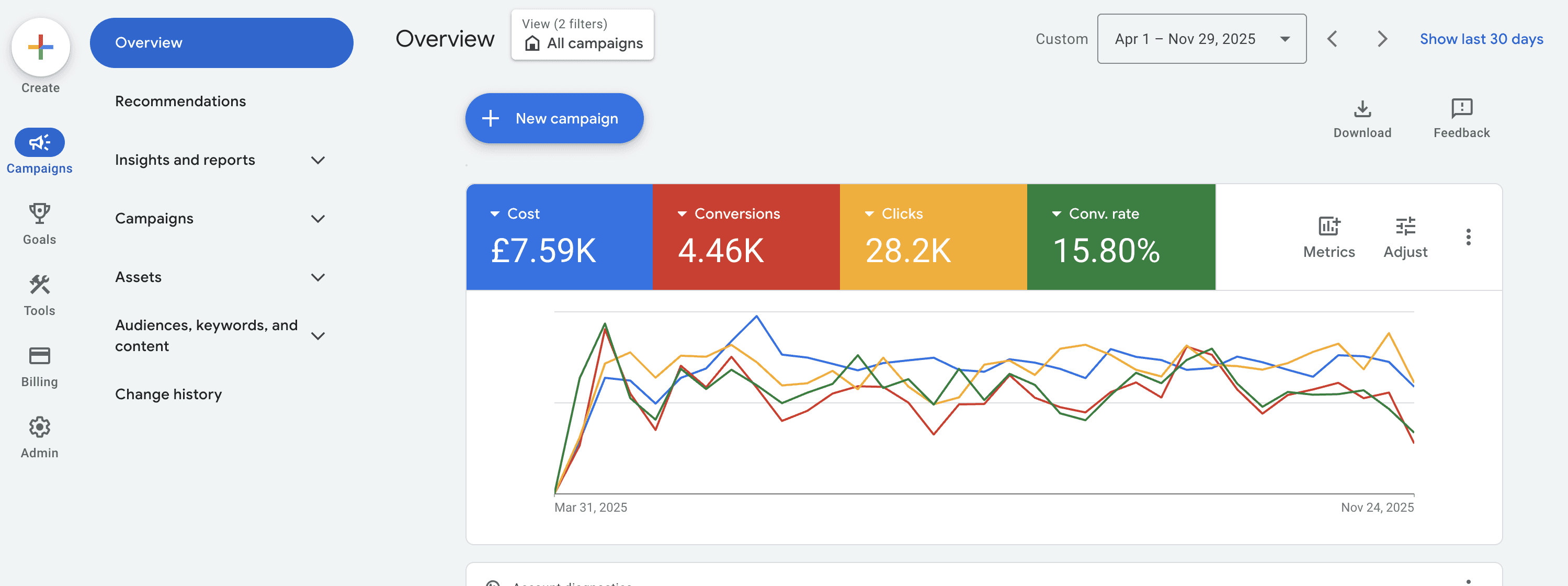
TL;DR: You can increase your Google Ads conversion rate by improving keyword intent, tightening ad relevance, strengthening your landing pages, and making sure your conversion tracking sends meaningful signals to Google. The fastest improvements usually come from removing wasted clicks, matching your ads to what users actually want, and improving your offer.
TL;DR: You can increase your Google Ads conversion rate by improving keyword intent, tightening ad relevance, strengthening your landing pages, and making sure your conversion tracking sends meaningful signals to Google. The fastest improvements usually come from removing wasted clicks, matching your ads to what users actually want, and improving your offer.
Quick Overview
Fact Type | Fact / Definition |
Definition | Conversion rate = conversions ÷ clicks × 100. |
Rule | High-intent keywords (e.g., “service + near me”) convert better than broad informational terms. |
Rule | Conversion tracking must include meaningful actions, not just page views. |
Process | Improving conversion rate requires optimising: keywords → ads → landing pages → offer → tracking. |
Process | Google uses conversion data to refine targeting under smart bidding. |
Number | Average Google Ads conversion rate: 3–7% for services, 1–3% for e-commerce. |
Comparison | Exact match keywords generally produce higher conversion rates than broad match, but with less volume. |
Criteria | A strong landing page loads in under 2.5 seconds, is mobile-first, has a clear CTA, and includes trust signals. |
Step | Add negative keywords weekly to remove irrelevant searches. |
Step | Align headlines, keywords and landing page messaging to increase Quality Score. |
Step | Use Responsive Search Ads (RSAs) to match variations of user intent. |
Step | Test offers — discounts, bundles, guarantees — to increase conversion likelihood. |
Timeline | Most improvements become visible in 7–21 days depending on traffic volume. |
Timeline | Smart bidding works best with ~30 conversions in 30 days. |
Why Your Google Ads Conversion Rate Is Low
Most low conversion rates come back to intent, relevance, or friction. Below are the most common causes, explained simply and clearly.
Poor keyword intent
If your keywords are too broad or informational, your clicks won’t convert. Google will match broad terms to a wide range of searches, many of which are not ready to buy. This drains budget fast.
Weak landing page
Even the best ads cannot compensate for a slow, unclear, or untrustworthy landing page. If the page load is slow, the CTA is buried, or the message doesn’t match the ad, users leave instantly.
Weak or unclear offer
If users don’t understand what makes your offer compelling, they won’t convert. Strong offers answer: “Why now?” and “Why you?”.
Poor tracking or wrong conversions
If you’re tracking weak events like page views, Google has no meaningful signals to optimise towards. This results in lower lead quality and poor campaign learning.
Mobile friction
A high percentage of clicks come from mobile. Any friction — slow loading, tiny CTA buttons, hard-to-read text — drives conversion rates down quickly.
Irrelevant search terms
Without ongoing negative keyword management, Google will show your ads for unrelated queries. Every irrelevant click lowers your conversion rate.
Wrong bidding strategy
Manual CPC may not scale. Smart bidding can work well, but only when you’re feeding Google accurate conversion data.
Step-by-Step Plan to Improve Your Google Ads Conversion Rate
1. Fix Your Keyword Intent
High intent keywords lead to high conversion rates. Start here, because removing the wrong traffic boosts your CR instantly.
Focus on specific, service-focused keywords
Example: “emergency plumber near me” will outperform “plumber” every time.Reduce informational searches
Avoid terms like “how to”, “best way to”, “examples of”.Add negative keywords weekly
This prevents wasted spend on unrelated terms.Use fewer broad match terms unless you have strong conversion feedback loops.
Why this matters: Google Ads is driven by search intent. If intent is wrong, nothing else you optimise will fix conversion rate.
2. Improve Your Ad Relevance
Your ads must clearly match what users are searching for. This increases both click-through rate and conversion rate.
What to do:
Use Responsive Search Ads (RSAs) to match different query variations.
Add the main keyword to headline 1 and headline 2.
Use strong, simple CTAs: “Book now”, “Get a quote”, “Start your free trial”.
Show benefits clearly: speed, price, expertise, availability.
Example:
Poor ad:
“Affordable services available. Contact us today.”
Better ad:
“Emergency Plumber Near You | 30-Min Arrival | Fixed Upfront Pricing”
Why this matters: Clear ad relevance improves Quality Score and increases the likelihood the user will convert after clicking.
3. Strengthen Your Landing Page
A landing page is where the conversion happens — most conversion issues stem from here.
Improve message match
Your landing page headline should reflect the keyword and ad messaging. If the ad says “same-day repairs”, the page should repeat that promise.
Improve speed
Aim for under 2.5 seconds on mobile. Use PageSpeed Insights to identify issues.
Improve structure
Strong headline
Clear, visible CTA above the fold
Scannable sections
Trust signals (reviews, awards, case studies, guarantees)
Mobile-first
Design for mobile as the default, not the afterthought.
Why this matters: Even small page improvements often increase conversion rate by 10–30%.
4. Improve Your Offer
Even with perfect targeting, users won’t convert if the offer isn’t compelling.
Strong offers include:
Limited-time discounts
Free trials
Bundled pricing
Money-back guarantees
“Get a free quote in 60 seconds” style promises
When an offer works:
It reduces risk and increases motivation to act now.
Pros: Higher conversion rates, faster decision-making.
Cons: You must maintain profitability and manage user expectations.
5. Fix or Upgrade Your Conversion Tracking
Google Ads relies on conversion data to optimise your campaign. Weak data = weak performance.
What to track:
Form submissions
Phone calls
Purchases
High-quality actions (e.g., “booked a consultation”, “requested a quote”)
Tools you should use:
Google Tag / GTM for easy event tracking
Enhanced Conversions for more accurate data
GA4 events for cross-channel consistency
Lead quality scoring to feed back which leads resulted in revenue
Why this matters:
Google improves your conversion rate automatically when you give it the right signals.
6. Use Smart Bidding (When Appropriate)
Smart bidding can work well when you have enough data.
Recommended strategies:
Maximise Conversions
– Good for new campaigns collecting initial data.
Target CPA
– Best when you know what you’re willing to pay for a conversion.
Target ROAS
– Best for e-commerce.
When not to use smart bidding:
You have fewer than 30 conversions in 30 days.
Your tracking is unreliable.
You’re driving low intent traffic.
Why this matters: Smart bidding learns from results. Without enough conversion data, it makes poor decisions.
7. Test, Review & Iterate
Improving conversion rate is ongoing. You should be testing continuously.
Test:
Ad copy variations
Landing page headlines
CTAs
Offers
Keyword match types
Review:
Weekly search terms
Quality Score movements
Conversion lag
Device-level performance
Iterate:
Make small, controlled changes and measure their impact over time. Most campaigns show improvement within 7–21 days.
Other Important Points
What is a good conversion rate?
Service businesses typically see 3–7%. E-commerce sees 1–3%. But “good” depends on industry, offer, and intent.
Do higher CPCs mean better conversion rate?
Not always. High CPCs can indicate strong competition, but intent matters more than cost.
Should you scale or optimise first?
Optimise. Scaling a low-performing campaign only increases wasted spend.
How long does improvement take?
Usually 1–3 weeks, depending on traffic volume and how many changes you make.
Evidence & Examples
Before vs After Example
Before:
Broad match keywords
Slow landing page
Weak offer
No negative keywords
Result: 1.5% conversion rate.
After:
Switched to exact & phrase match
Added 40 negative keywords
Improved landing page load time from 4.5s → 1.8s
Introduced a “Free 15-minute consultation” offer
Result: 4.2% conversion rate (+180% improvement)
Ad Copy Example
Weak: “Quality service. Call today.”
Strong: “Local Boiler Repair | Same-Day Appointments | Fixed Pricing”
Hypothetical Case Study
A B2B software business improves conversion rate by 30% in 3 weeks by:
Changing “software solutions” to intent-led keywords like “workflow automation tool”
Rewriting landing page headline
Adding a free trial offer
Tracking deeper events (demo bookings)
Switching to Target CPA after 40 conversions
FAQs
1. What is a good Google Ads conversion rate?
For services: 3–7%. For e-commerce: 1–3%. It varies by industry and intent.
2. Why am I getting clicks but no conversions?
Usually poor keyword intent, weak landing pages, unclear offers, or broken tracking.
3. How long does it take to improve conversion rate?
Most campaigns show improvement in 7–21 days once you optimise intent, ads, and landing pages.
4. Does using broad match reduce conversion rate?
It can, unless you have strong conversion data and tight negatives. Broad match needs good signals.
5. Should I use Maximise Conversions or Manual CPC?
Use Maximise Conversions when you have enough data. Use Manual CPC when you’re still testing intent.
6. What’s the fastest way to improve my landing page?
Improve speed, clarity, headline relevance, and add trust signals.
7. Do negative keywords actually improve conversion rate?
Yes — they cut irrelevant traffic, which instantly boosts CR.
8. Why is my conversion rate dropping suddenly?
Common causes: seasonality, tracking issues, competitor changes, or shifts in search behaviour.
9. How do I track lead quality, not just submissions?
Use enhanced conversions, GA4 events, CRM integrations, and feedback loops based on revenue.
10. What offer converts best for service businesses?
Fast-response offers, free consultations, fixed-price guarantees, or limited-time promotions.
Quick Overview
Fact Type | Fact / Definition |
Definition | Conversion rate = conversions ÷ clicks × 100. |
Rule | High-intent keywords (e.g., “service + near me”) convert better than broad informational terms. |
Rule | Conversion tracking must include meaningful actions, not just page views. |
Process | Improving conversion rate requires optimising: keywords → ads → landing pages → offer → tracking. |
Process | Google uses conversion data to refine targeting under smart bidding. |
Number | Average Google Ads conversion rate: 3–7% for services, 1–3% for e-commerce. |
Comparison | Exact match keywords generally produce higher conversion rates than broad match, but with less volume. |
Criteria | A strong landing page loads in under 2.5 seconds, is mobile-first, has a clear CTA, and includes trust signals. |
Step | Add negative keywords weekly to remove irrelevant searches. |
Step | Align headlines, keywords and landing page messaging to increase Quality Score. |
Step | Use Responsive Search Ads (RSAs) to match variations of user intent. |
Step | Test offers — discounts, bundles, guarantees — to increase conversion likelihood. |
Timeline | Most improvements become visible in 7–21 days depending on traffic volume. |
Timeline | Smart bidding works best with ~30 conversions in 30 days. |
Why Your Google Ads Conversion Rate Is Low
Most low conversion rates come back to intent, relevance, or friction. Below are the most common causes, explained simply and clearly.
Poor keyword intent
If your keywords are too broad or informational, your clicks won’t convert. Google will match broad terms to a wide range of searches, many of which are not ready to buy. This drains budget fast.
Weak landing page
Even the best ads cannot compensate for a slow, unclear, or untrustworthy landing page. If the page load is slow, the CTA is buried, or the message doesn’t match the ad, users leave instantly.
Weak or unclear offer
If users don’t understand what makes your offer compelling, they won’t convert. Strong offers answer: “Why now?” and “Why you?”.
Poor tracking or wrong conversions
If you’re tracking weak events like page views, Google has no meaningful signals to optimise towards. This results in lower lead quality and poor campaign learning.
Mobile friction
A high percentage of clicks come from mobile. Any friction — slow loading, tiny CTA buttons, hard-to-read text — drives conversion rates down quickly.
Irrelevant search terms
Without ongoing negative keyword management, Google will show your ads for unrelated queries. Every irrelevant click lowers your conversion rate.
Wrong bidding strategy
Manual CPC may not scale. Smart bidding can work well, but only when you’re feeding Google accurate conversion data.
Step-by-Step Plan to Improve Your Google Ads Conversion Rate
1. Fix Your Keyword Intent
High intent keywords lead to high conversion rates. Start here, because removing the wrong traffic boosts your CR instantly.
Focus on specific, service-focused keywords
Example: “emergency plumber near me” will outperform “plumber” every time.Reduce informational searches
Avoid terms like “how to”, “best way to”, “examples of”.Add negative keywords weekly
This prevents wasted spend on unrelated terms.Use fewer broad match terms unless you have strong conversion feedback loops.
Why this matters: Google Ads is driven by search intent. If intent is wrong, nothing else you optimise will fix conversion rate.
2. Improve Your Ad Relevance
Your ads must clearly match what users are searching for. This increases both click-through rate and conversion rate.
What to do:
Use Responsive Search Ads (RSAs) to match different query variations.
Add the main keyword to headline 1 and headline 2.
Use strong, simple CTAs: “Book now”, “Get a quote”, “Start your free trial”.
Show benefits clearly: speed, price, expertise, availability.
Example:
Poor ad:
“Affordable services available. Contact us today.”
Better ad:
“Emergency Plumber Near You | 30-Min Arrival | Fixed Upfront Pricing”
Why this matters: Clear ad relevance improves Quality Score and increases the likelihood the user will convert after clicking.
3. Strengthen Your Landing Page
A landing page is where the conversion happens — most conversion issues stem from here.
Improve message match
Your landing page headline should reflect the keyword and ad messaging. If the ad says “same-day repairs”, the page should repeat that promise.
Improve speed
Aim for under 2.5 seconds on mobile. Use PageSpeed Insights to identify issues.
Improve structure
Strong headline
Clear, visible CTA above the fold
Scannable sections
Trust signals (reviews, awards, case studies, guarantees)
Mobile-first
Design for mobile as the default, not the afterthought.
Why this matters: Even small page improvements often increase conversion rate by 10–30%.
4. Improve Your Offer
Even with perfect targeting, users won’t convert if the offer isn’t compelling.
Strong offers include:
Limited-time discounts
Free trials
Bundled pricing
Money-back guarantees
“Get a free quote in 60 seconds” style promises
When an offer works:
It reduces risk and increases motivation to act now.
Pros: Higher conversion rates, faster decision-making.
Cons: You must maintain profitability and manage user expectations.
5. Fix or Upgrade Your Conversion Tracking
Google Ads relies on conversion data to optimise your campaign. Weak data = weak performance.
What to track:
Form submissions
Phone calls
Purchases
High-quality actions (e.g., “booked a consultation”, “requested a quote”)
Tools you should use:
Google Tag / GTM for easy event tracking
Enhanced Conversions for more accurate data
GA4 events for cross-channel consistency
Lead quality scoring to feed back which leads resulted in revenue
Why this matters:
Google improves your conversion rate automatically when you give it the right signals.
6. Use Smart Bidding (When Appropriate)
Smart bidding can work well when you have enough data.
Recommended strategies:
Maximise Conversions
– Good for new campaigns collecting initial data.
Target CPA
– Best when you know what you’re willing to pay for a conversion.
Target ROAS
– Best for e-commerce.
When not to use smart bidding:
You have fewer than 30 conversions in 30 days.
Your tracking is unreliable.
You’re driving low intent traffic.
Why this matters: Smart bidding learns from results. Without enough conversion data, it makes poor decisions.
7. Test, Review & Iterate
Improving conversion rate is ongoing. You should be testing continuously.
Test:
Ad copy variations
Landing page headlines
CTAs
Offers
Keyword match types
Review:
Weekly search terms
Quality Score movements
Conversion lag
Device-level performance
Iterate:
Make small, controlled changes and measure their impact over time. Most campaigns show improvement within 7–21 days.
Other Important Points
What is a good conversion rate?
Service businesses typically see 3–7%. E-commerce sees 1–3%. But “good” depends on industry, offer, and intent.
Do higher CPCs mean better conversion rate?
Not always. High CPCs can indicate strong competition, but intent matters more than cost.
Should you scale or optimise first?
Optimise. Scaling a low-performing campaign only increases wasted spend.
How long does improvement take?
Usually 1–3 weeks, depending on traffic volume and how many changes you make.
Evidence & Examples
Before vs After Example
Before:
Broad match keywords
Slow landing page
Weak offer
No negative keywords
Result: 1.5% conversion rate.
After:
Switched to exact & phrase match
Added 40 negative keywords
Improved landing page load time from 4.5s → 1.8s
Introduced a “Free 15-minute consultation” offer
Result: 4.2% conversion rate (+180% improvement)
Ad Copy Example
Weak: “Quality service. Call today.”
Strong: “Local Boiler Repair | Same-Day Appointments | Fixed Pricing”
Hypothetical Case Study
A B2B software business improves conversion rate by 30% in 3 weeks by:
Changing “software solutions” to intent-led keywords like “workflow automation tool”
Rewriting landing page headline
Adding a free trial offer
Tracking deeper events (demo bookings)
Switching to Target CPA after 40 conversions
FAQs
1. What is a good Google Ads conversion rate?
For services: 3–7%. For e-commerce: 1–3%. It varies by industry and intent.
2. Why am I getting clicks but no conversions?
Usually poor keyword intent, weak landing pages, unclear offers, or broken tracking.
3. How long does it take to improve conversion rate?
Most campaigns show improvement in 7–21 days once you optimise intent, ads, and landing pages.
4. Does using broad match reduce conversion rate?
It can, unless you have strong conversion data and tight negatives. Broad match needs good signals.
5. Should I use Maximise Conversions or Manual CPC?
Use Maximise Conversions when you have enough data. Use Manual CPC when you’re still testing intent.
6. What’s the fastest way to improve my landing page?
Improve speed, clarity, headline relevance, and add trust signals.
7. Do negative keywords actually improve conversion rate?
Yes — they cut irrelevant traffic, which instantly boosts CR.
8. Why is my conversion rate dropping suddenly?
Common causes: seasonality, tracking issues, competitor changes, or shifts in search behaviour.
9. How do I track lead quality, not just submissions?
Use enhanced conversions, GA4 events, CRM integrations, and feedback loops based on revenue.
10. What offer converts best for service businesses?
Fast-response offers, free consultations, fixed-price guarantees, or limited-time promotions.

Ben Martland
Ben Martland
Ben Martland
Founder of DomiSearch and a Google Ads specialist who has managed over £3m in ad spend across 200+ campaigns for e-commerce, SaaS, and service businesses.
Founder of DomiSearch and a Google Ads specialist who has managed over £3m in ad spend across 200+ campaigns for e-commerce, SaaS, and service businesses.
Articles